Guide · 3 minutes
How to set up a competition
Pick the games, choose how it's won, invite your club and set the dates. Say the Smiths run four weeks of Wordle, Connections, Strands and Nerdle, scored by Weekly Wins: from then on every share counts, and Scordle keeps the table.
Up to 15 gamesFour scoring methodsEvery day or weekdays
Create it
- Open the Competitions tabTap add at the top. A competition lives inside a club, so make one first if you haven't.
- BasicsGive it a name and an avatar. The Smiths call theirs the Summer Cup.
- GamesChoose up to 15. The Smiths pick Wordle, Connections, Strands and Nerdle.
- Scoring methodPick one of four methods and a tie-breaker. They go for Weekly Wins: win the most days to win the week.
- Invite membersChoose who plays from the club. Each player accepts their invite.
- ScheduleSet when it starts and ends, and whether it runs every day or weekdays only.




Once it's running
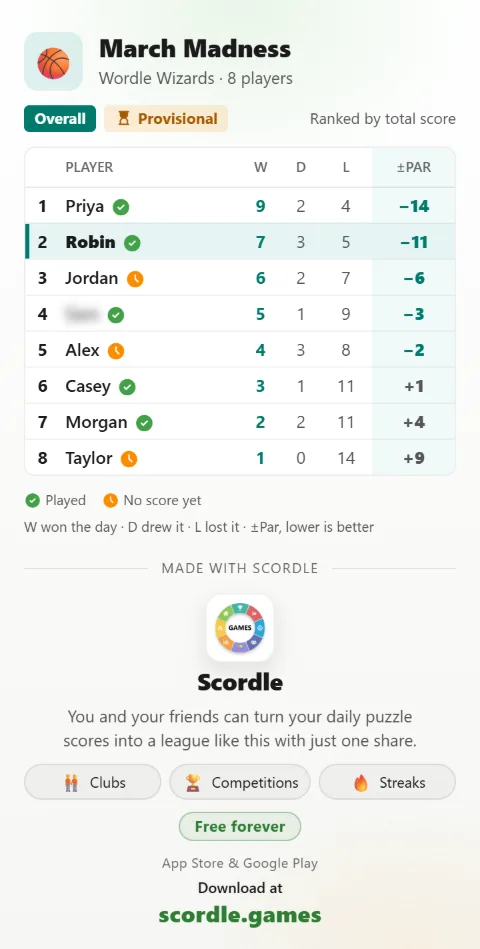
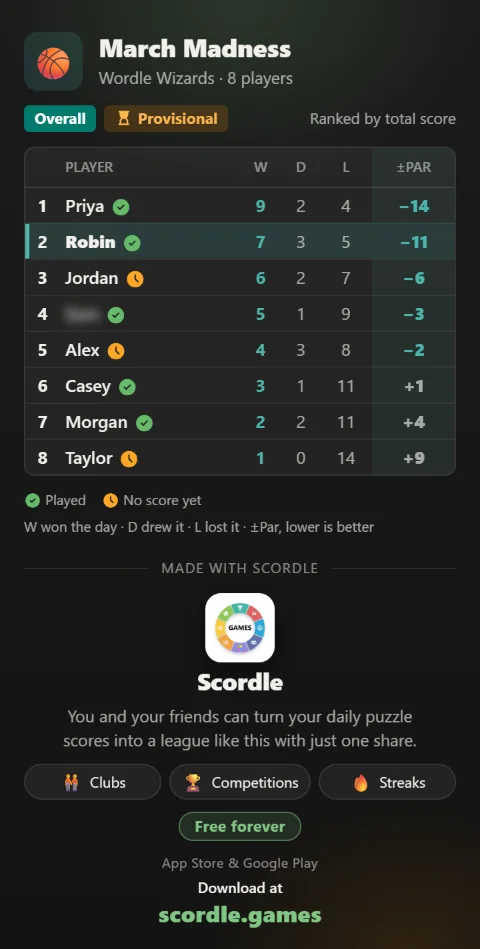
- Every day: the daily summaryWhen a day closes, a card in the club feed names who won it, and the standings move.
- Every week: the weekly winnerWith Weekly Wins or Weekly Total, a card names who took the week once it closes.
- At the end: the overall winnerThe final table, the trophy and a little confetti. Share the leaderboard or the score race to make it official.
Good to know
Fair across games
Every score is measured against its own game's par, so a Nerdle or a Strands counts the same as a Wordle. How scoring works.
Live standings
Standings update as scores arrive, and a day locks once everyone has played, or at 12:00 UTC the next day.
Run it again
When it ends, start a new one with the same players, games and scoring. Just set the dates.
Related guides