Guide · 2 minutes
Use Scordle on more than one device
Your scores and streaks live in your Scordle account, not on one phone. Add a tablet or a second phone with a QR code, and keep your 12-word recovery code safe in case you ever lose every device.
Phones and tablets12-word recovery codeNothing lost
Add a device
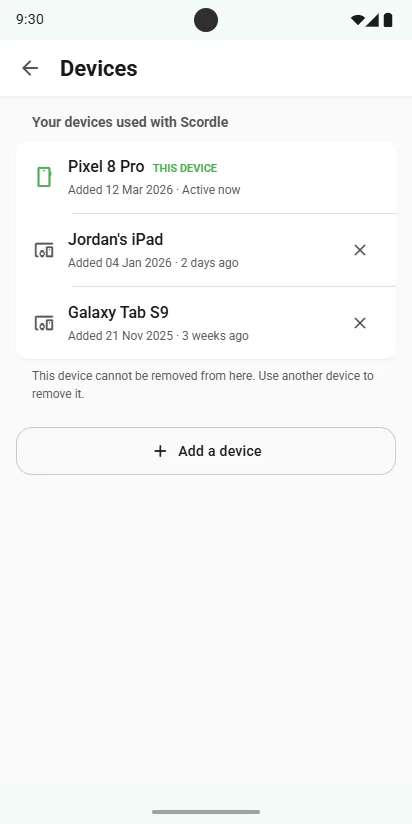
- On the phone you use nowSettings, then Devices, then Add a device.
- On the other phone or tabletOpen Scordle and scan the code.
- Everything follows youScores, streaks and clubs sync to the new device. Keep the code private: it grants account access.
Keep your recovery code
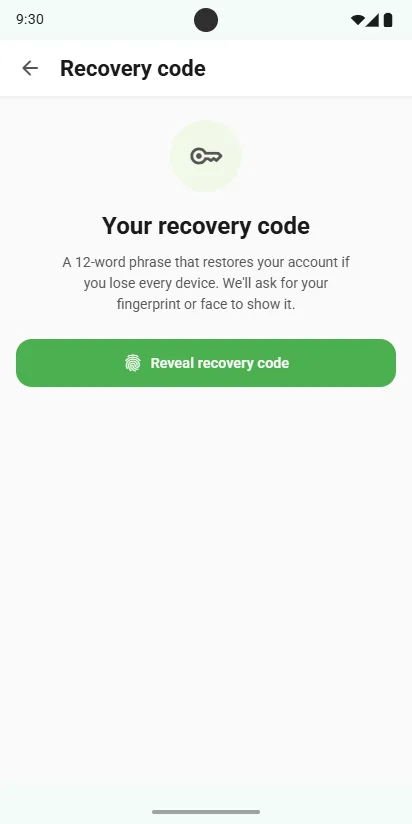
- Open Settings, then Recovery codeWe'll ask for your fingerprint or face to show it. A phone you added with a QR code doesn't keep a copy, so it offers you a new code instead.
- Write down the 12 wordsThey restore your account if you ever lose every device.
- Keep them somewhere safeSomeone with a copy of them could take over your account.
Good to know
Streaks are safe
Your streaks are kept in your account, so a new phone picks up exactly where the old one left off.
Shares are never lost
Offline, a score is saved and syncs later. A share from a game Scordle can't read yet is kept and uploads once the game is supported.
Remove a device any time
Lost a phone? Remove it from Devices on another device and it loses access straight away.
Related guides